

 Set up docs MCP
Open the TABLUM.IO startup page
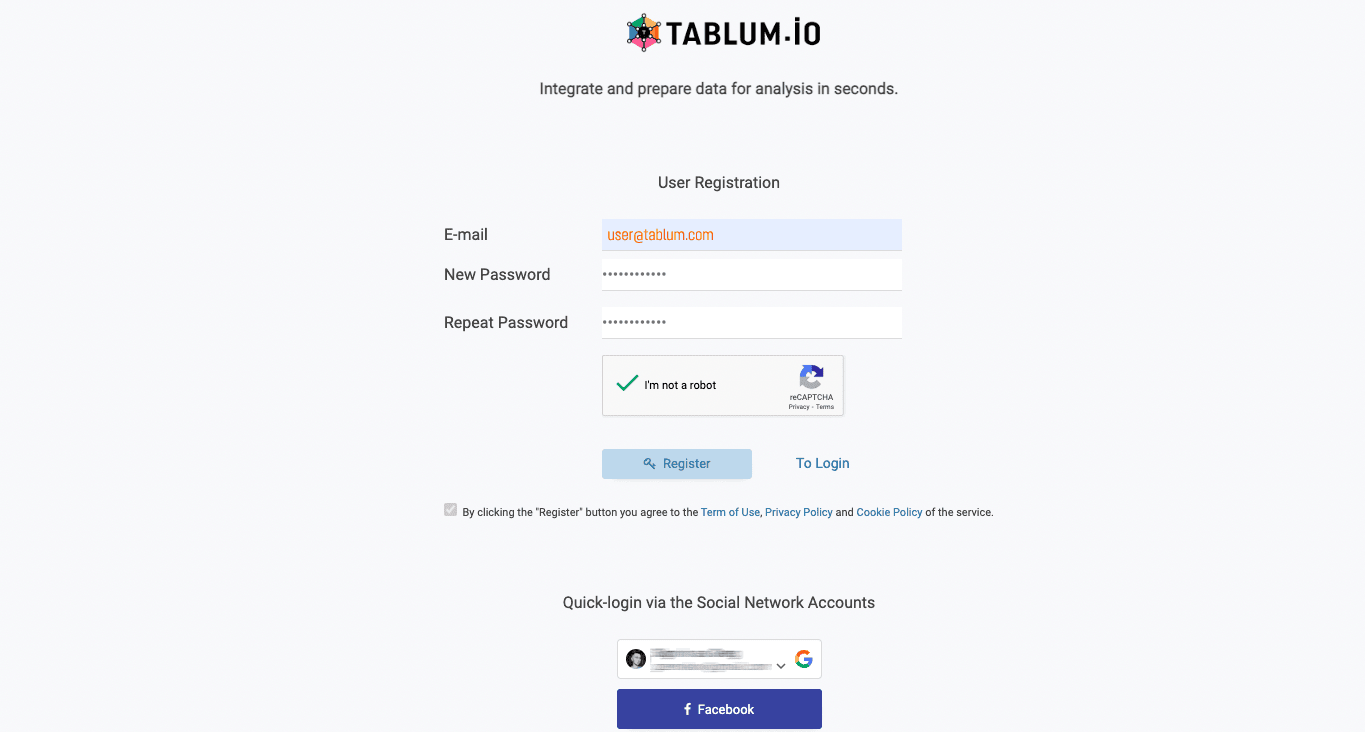
Sign up or sign in to the service
First, sign up to TABLUM.IO using your email or use a quick-login via accounts in Google or Facebook.
Add a ClickHouse connector
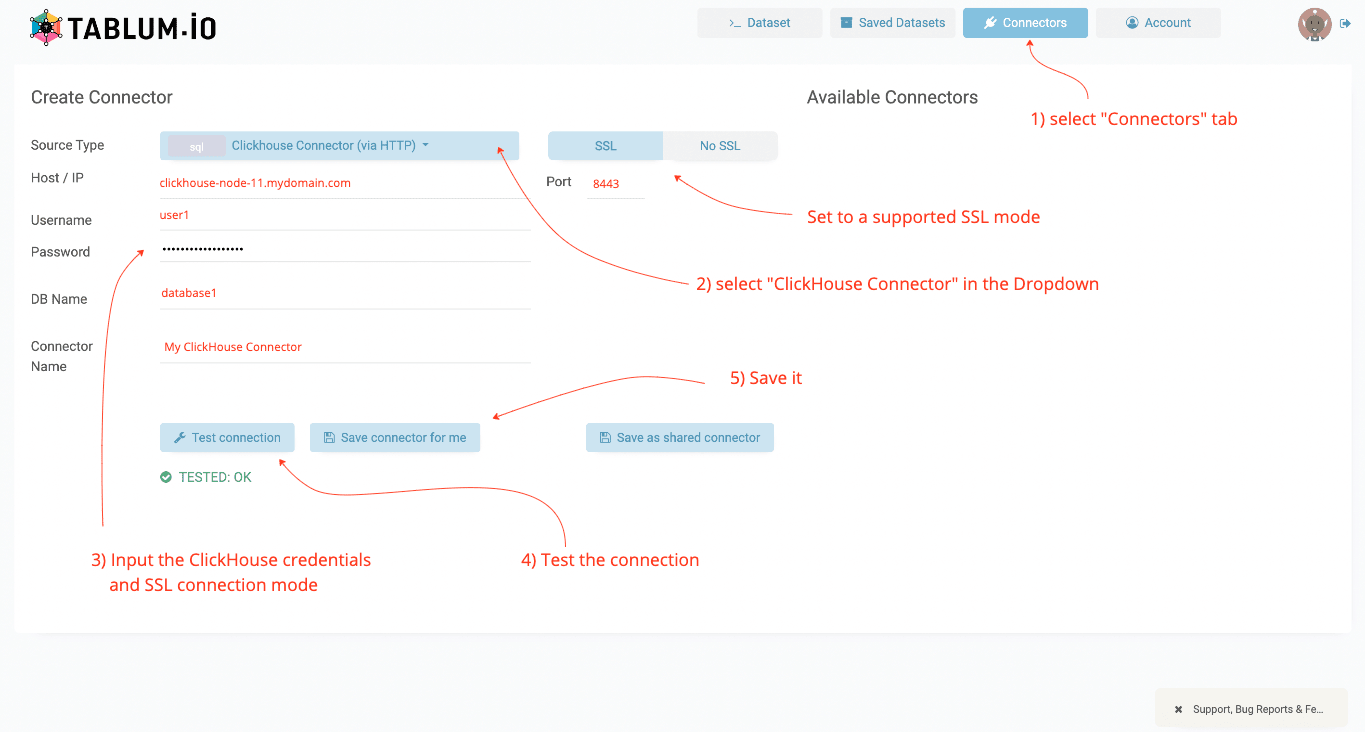
Gather your ClickHouse connection details, navigate to the Connector tab, and fill in the host URL, port, username, password, database name, and connector’s name. After completing these fields, click on Test connection button to validate the details and then click on Save connector for me to make it persistent.
Select the connector
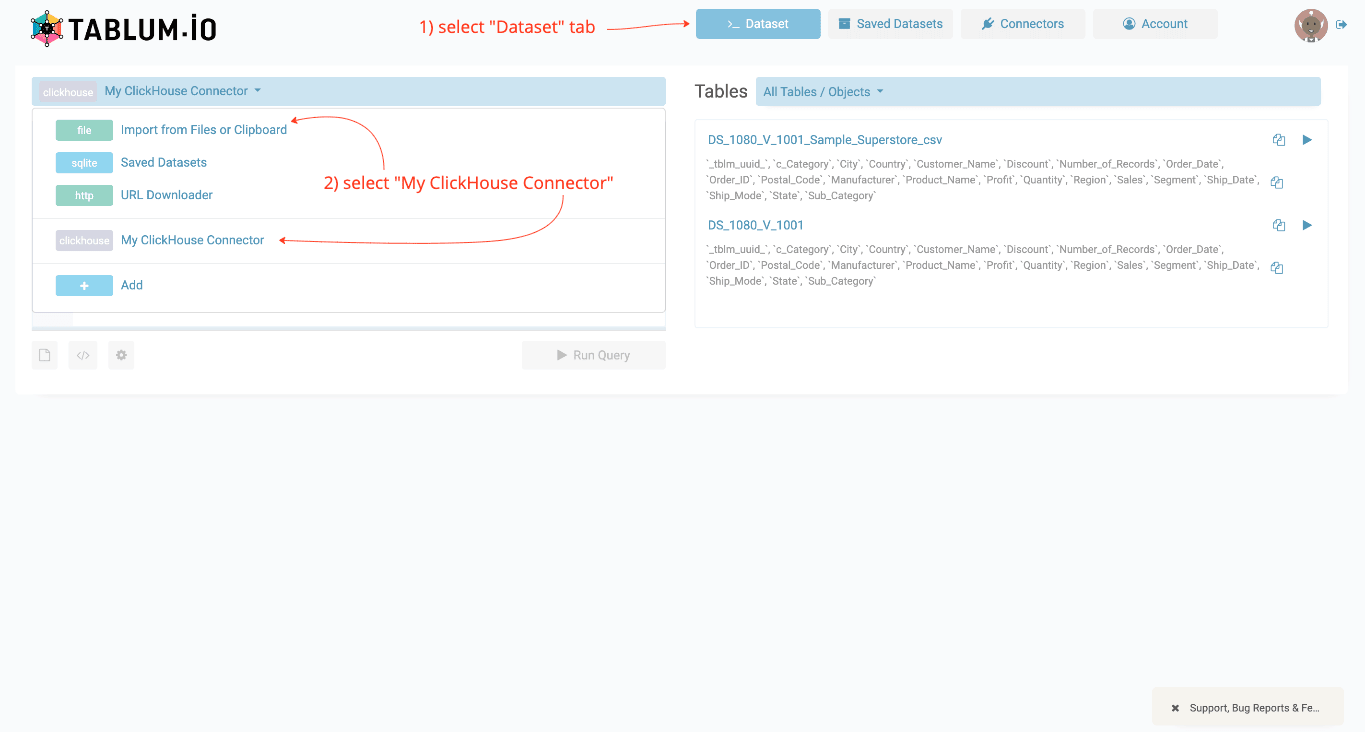
Navigate to the Dataset tab. Select recently created ClickHouse connector in the dropdown. In the right panel, you will see the list of available tables and schemas.
Input a SQL query and run it
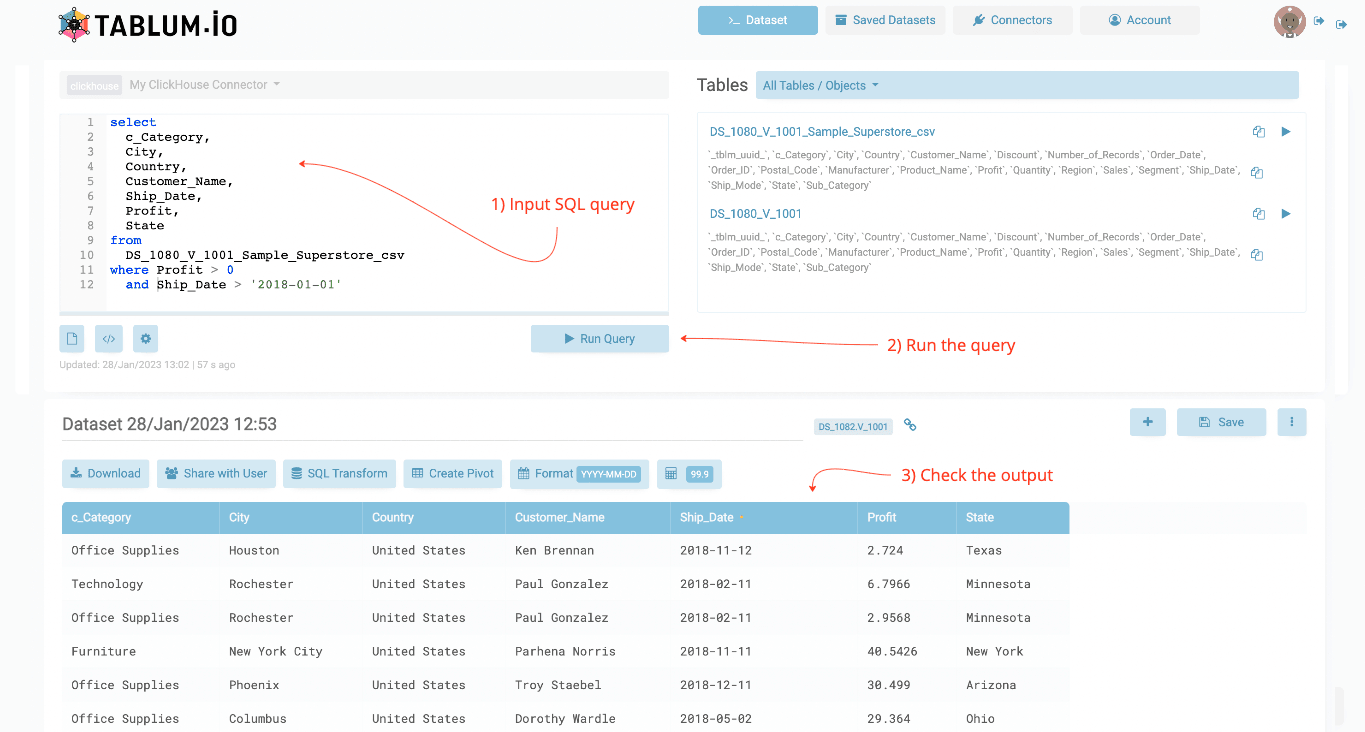
Type a query in the SQL Console and press Run Query. The results will be displayed as a spreadsheet.
Learn more
Find more information about TABLUM.IO at https://tablum.io.