

 Set up docs MCP
The BigQuery ClickPipe provides a fully-managed and resilient way to ingest data from BigQuery into ClickHouse Cloud. In Private Preview, it supports the initial load replication method to help you bulk load BigQuery datasets for exploration and prototyping. CDC will be supported in the future — in the meantime, we recommend using the Google Cloud Storage ClickPipe to continuously sync BigQuery data exports into ClickHouse Cloud once the initial load is completed.
BigQuery ClickPipes can be deployed and managed manually using the ClickPipes UI, as well as programmatically using OpenAPI and Terraform.
Features
Initial load
The BigQuery ClickPipe will load selected tables in a BigQuery dataset into the ClickHouse destination tables in a single batch operation. Once the ingestion task completes, the ClickPipe stops automatically. The initial load ingestion process requires a user-provided Google Cloud Storage (GCS) bucket for staging. In the future, the intermediary bucket will be provided and managed by ClickPipes.
CDC (Change Data Capture)
CDC is not supported in Private Preview, but will be supported in the future. In the meantime, we recommend using the Google Cloud Storage ClickPipe to continuously sync BigQuery data exports into ClickHouse Cloud once the initial load is completed.
Data type mapping
| BigQuery Data Type | ClickHouse Data Type | Details |
|---|---|---|
BOOL |
Bool |
|
INT64 |
Int64 |
|
FLOAT64 |
Float64 |
|
NUMERIC |
Decimal(P, S) |
Precision up to 38, scale up to 9. Precision/scale is preserved. |
BIGNUMERIC |
Decimal(P, S) |
Precision up to 76, scale up to 38. Precision/scale is preserved. |
STRING |
String |
|
BYTES |
String |
|
JSON |
String (JSON) |
|
DATE |
Date |
|
TIME |
String |
Microsecond precision. |
DATETIME |
DateTime |
Microsecond precision. |
TIMESTAMP |
DateTime64(6) |
Microsecond precision. |
GEOGRAPHY |
String |
|
GEOMETRY |
String |
|
UUID |
String |
|
ARRAY<T> |
Array(T) |
|
ARRAY<DATE> |
Array(Date) |
|
STRUCT (RECORD) |
String |
Access control
Authentication
Service account credentials
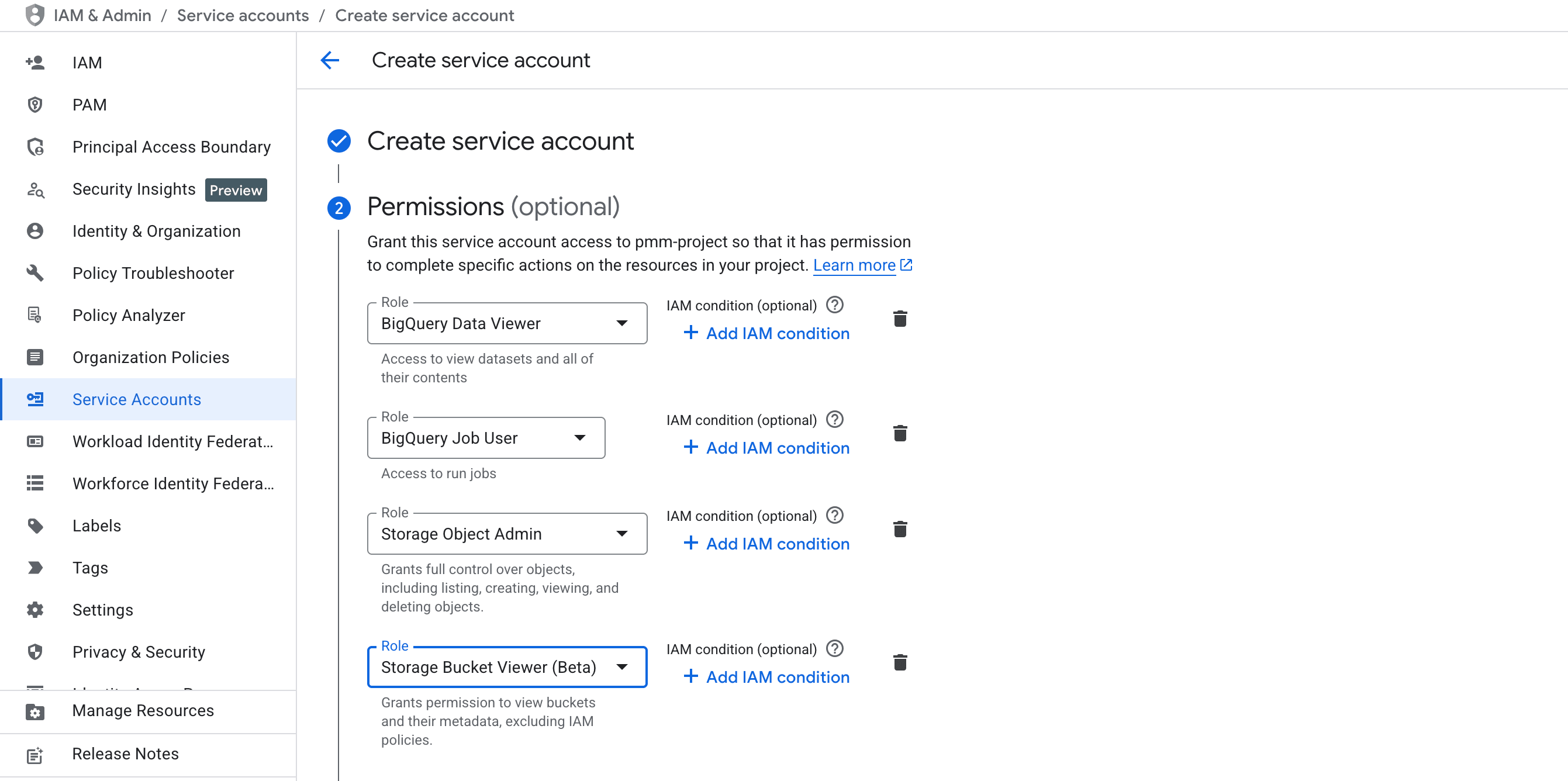
ClickPipes authenticates to your Google Cloud project using a service account key. We recommend creating a dedicated service account with the minimum required set of permissions to allow ClickPipes to export data from BigQuery, load it into the staging GCS bucket, and read it into ClickHouse.
Permissions
BigQuery
The service account must have the following BigQuery roles:
To further scope access, we recommend using IAM conditions to restrict the resources the role has access to. For example, you can restrict the dataViewer role to the specific dataset containing the tables you want to sync:
resource.name.startsWith("projects/<PROJECT_ID>/datasets/<DATASET_NAME>")Cloud Storage
The service account must have the following Cloud Storage roles:
To further scope access, we recommend using IAM conditions to restrict the resources the role has access to. For example, you can restrict the objectAdmin and bucketViewer roles to the dedicated bucket created for ClickPipes syncs.
resource.name.startsWith("projects/_/buckets/<BUCKET_NAME>")